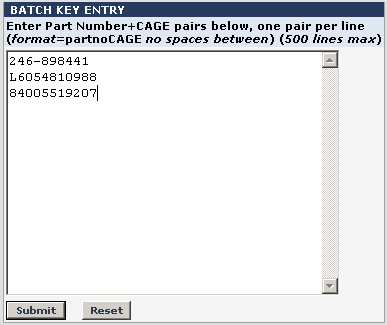
The Batch Key Entry screen (below) allows you to enter the key items for your Batch Job. You are limited to 50 records. The records you enter are dependent upon key type you selected from the pull-down menu in the Input Key Type field.
Once you have entered your items, click the Submit button to return to Batch Entry Settings.
The sample below illustrates part number plus CAGE key entries. Note there are no spaces between the part number and CAGE code.